
FIRE – File Icon Refresh
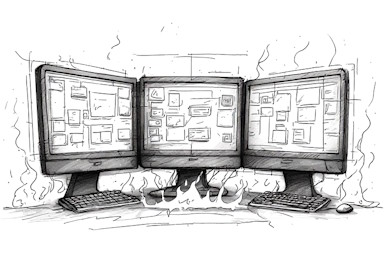
This is a small utility that forces Windows to refresh its file icons and icon overlays.
Background
I used to suffer from frequent corruption of the Windows desktop icons and the icon overlays. It happened on regularly on both Windows 10 and Windows 11. I am led to believe that this may be a Windows issue related to me having three monitors and using RDP extensively. It is, in any event, irritating.
There are various suggested solutions involving deleting the icon cache and rebooting or restarting Windows explorer, but the simplest solution I found initially was the IconsRefresh utility.
One thing that bothered me about this utility, however, was its size – nearly 1.2 Megabytes. On looking at the source code, it was only a couple of lines of code written in Go. So I decided to see what it would look like rewritten in C.
On the way I changed one of the lines to call SendNotifyMessageW instead of SendMessageTimeoutW, to prevent any waiting while the message was processed. But the result generally functions identically and is still just two lines of code.
So for anyone else suffering the same Windows icon corruption mess as I was, and with all due credit to the original version, here is my rewrite. Together with a new icon, it is 44 kilobytes – a 96% size reduction on the Go version.
License
FIRE is free to use and is released under the terms of the GNU Affero General Public License (AGPL).
Download
Download FIRE-v1.01-exe.zip containing the compiled executable fire.exe.
Download FIRE-v1.01-src.zip containing the C source code (compiled using GCC/MinGW-w64).
Note: Windows Defender may flag this custom utility. Click More info > Run anyway to proceed, or verify its safety via VirusTotal and the source code.
Installation and Usage
- Installation: Extract the files to your a folder of your choice. There is no additional installation procedure needed.
- Execution: Run the executable and Windows will refresh all its icons and icon overlays.
- Automation: Run the executable from the Task Scheduler, setting it to run On workstation unlock.
- Documentation: You've just read it.